


1.3. Installation on CentOS
The first step that you should make is to you to choose which version of Asterisk you want to install.
Note that we will install also libpri and zaptel packages. They are optional for Asterisk but if you want to use Asterisk with MeetMe (see MeetMe application and meetme.conf) or to use MusicOnHold you'll have to install zaptel. The TDMoE cards will also need the zaptel module in order to work correctly. If you will use PRI cards you'll have to install libpri module.
For Asterisk 1.2:
For Asterisk 1.4:
Now check the exact version of your kernel. You can achieve this by typing `uname -a`. The output should be something like this: `Linux luser 2.6.17-1.2142_EL #1 Tue Jul 11 22:41:14 EDT 2006 i686 i686 i386 GNU/Linux`. Check if you are using 2.6 or 2.4 kernel. Notice that. We'll need this info later. You should check if you have installed the kernel sources (for the current version of the kernel) on your machine. To achieve this type `rpm -q kernel-devel` The output of the screen should be something like this:
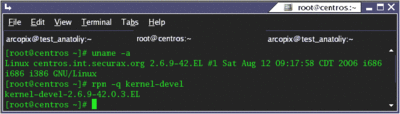
Note that if you don't have kernel sources you should install them. You can use yum again: `yum install kernel-devel`. If you use this command yum will install the sources for your current version of the kernel.
It is time to check for the availability of some other packages:
If any of those packages are not installed install them by using yum
If yum is unable to find one or more of these packages, try your luck with PBone. You should find the required packages there. When you download them, install them with either of those:
CentOS doesn't install the kernel sources into the /usr/src/linux directory as is written in Zaptel's and Asterisk's Makefile. Go to `/usr/src` and create a link named 'linux' to your kernel sources directory (the default place for your kernel's sources is /usr/src/kernels/...). The result should look like this:
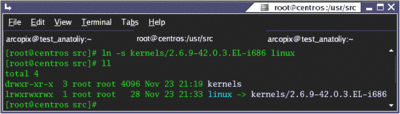
Now extract the downloaded sources by the command `tar -vxzf PACKAGE.tar.gz`, where PACKAGE.tar.gz are the packages that we downloaded (libpri, zaptel and asterisk itself).
Installing Libpri:
Installing Zaptel:
Installing Asterisk:
In order to verify the asterisk installation start your asterisk daemon by typing `safe_asterisk` and connect to its console by typing `asterisk -vvvvvr`. Now reload the entire configuration by typing `reload`.
* Asterisk 1.2 - the stable version
* Asterisk 1.4 - the version that is currently in beta testing
When you know which version you want to install download the according packages. * Asterisk 1.4 - the version that is currently in beta testing
Note that we will install also libpri and zaptel packages. They are optional for Asterisk but if you want to use Asterisk with MeetMe (see MeetMe application and meetme.conf) or to use MusicOnHold you'll have to install zaptel. The TDMoE cards will also need the zaptel module in order to work correctly. If you will use PRI cards you'll have to install libpri module.
For Asterisk 1.2:
For Asterisk 1.4:
Now check the exact version of your kernel. You can achieve this by typing `uname -a`. The output should be something like this: `Linux luser 2.6.17-1.2142_EL #1 Tue Jul 11 22:41:14 EDT 2006 i686 i686 i386 GNU/Linux`. Check if you are using 2.6 or 2.4 kernel. Notice that. We'll need this info later. You should check if you have installed the kernel sources (for the current version of the kernel) on your machine. To achieve this type `rpm -q kernel-devel` The output of the screen should be something like this:
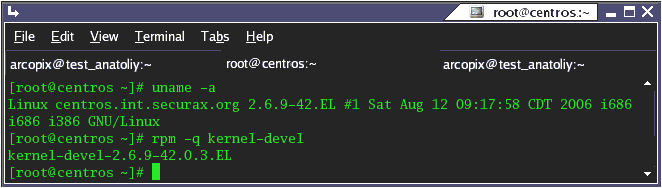
Note that if you don't have kernel sources you should install them. You can use yum again: `yum install kernel-devel`. If you use this command yum will install the sources for your current version of the kernel.
It is time to check for the availability of some other packages:
rpm -q bison
rpm -q bison-devel
rpm -q ncurses
rpm -q ncurses-devel
rpm -q zlib
rpm -q zlib-devel
rpm -q openssl
rpm -q openssl-devel
rpm -q gnutls-devel
rpm -q gcc
rpm -q gcc-c++
rpm -q bison-devel
rpm -q ncurses
rpm -q ncurses-devel
rpm -q zlib
rpm -q zlib-devel
rpm -q openssl
rpm -q openssl-devel
rpm -q gnutls-devel
rpm -q gcc
rpm -q gcc-c++
If any of those packages are not installed install them by using yum
yum install bison
yum install bison-devel
yum install ncurses
yum install ncurses-devel
yum install zlib
yum install zlib-devel
yum install openssl
yum install openssl-devel
yum install gnutls-devel
yum install gcc
yum install gcc-c++
yum install bison-devel
yum install ncurses
yum install ncurses-devel
yum install zlib
yum install zlib-devel
yum install openssl
yum install openssl-devel
yum install gnutls-devel
yum install gcc
yum install gcc-c++
If yum is unable to find one or more of these packages, try your luck with PBone. You should find the required packages there. When you download them, install them with either of those:
rpm -i PACKAGE.rpm
rpm -Uvh PACKAGE.rpm
rpm -Uvh PACKAGE.rpm
CentOS doesn't install the kernel sources into the /usr/src/linux directory as is written in Zaptel's and Asterisk's Makefile. Go to `/usr/src` and create a link named 'linux' to your kernel sources directory (the default place for your kernel's sources is /usr/src/kernels/...). The result should look like this:
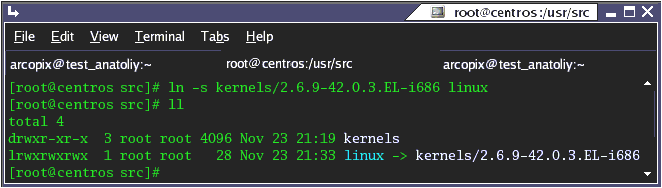
Now extract the downloaded sources by the command `tar -vxzf PACKAGE.tar.gz`, where PACKAGE.tar.gz are the packages that we downloaded (libpri, zaptel and asterisk itself).
Installing Libpri:
cd /path/to/source/libpri
make
make install
make
make install
Installing Zaptel:
cd /usr/src/asterisk/zaptel
# if you have a 2.4 kernel you should type just make
make
# if you have a 2.6 kernel you should type make linux26
make linux26 - if you have a 2.6 kernel
make install
# if you have a 2.4 kernel you should type just make
make
# if you have a 2.6 kernel you should type make linux26
make linux26 - if you have a 2.6 kernel
make install
Installing Asterisk:
cd /usr/src/asterisk/asterisk
# before making Asterisk you have to install mpg123 package (to be able to play mp3 files for music on hold).
make mpg123
# for Asterisk v1.4 you should start configure script
./configure
make
make install
make samples
# before making Asterisk you have to install mpg123 package (to be able to play mp3 files for music on hold).
make mpg123
# for Asterisk v1.4 you should start configure script
./configure
make
make install
make samples
In order to verify the asterisk installation start your asterisk daemon by typing `safe_asterisk` and connect to its console by typing `asterisk -vvvvvr`. Now reload the entire configuration by typing `reload`.
| Add Comment |
Latest Headlines:
-
T.38 faxing with Zoiper 2.15 is now easier than ever
section: voip software
-
Asterisk 1.4.21 Released
section: Asterisk
-
Asterisk 1.4.20 Released
section: Asterisk
-
Asterisk 1.4.20-rc2 Released
section: Asterisk
-
Asterisk 1.4.20-rc1 Now Available
section: Asterisk
- News Archives (older news)
Latest Tutorials:
-
Sending Fax from Zoiper to Zoiper using T.38
added 08/Dec/2008 18:16
-
VMAuthenticate (dialplan application)
added 01/Mar/2008 15:57
-
Siptronic ST-530
added 06/Nov/2007 17:57
-
Siemens C455 IP hardphone
added 05/Nov/2007 10:24
-
Zoiper
added 22/Oct/2007 17:53
Latest Comments:
-
https://bento.me/-verpelicula-culpa-tuya...
tutorial: Request to schedule in the past?!?!
-
https://github.com/challengers-free-on-e...
tutorial: General Installation
-
https://bento.me/streamcloud-drive-away-...
tutorial: Request to schedule in the past?!?!
-
https://bento.me/streamcloud-chantal-im-...
tutorial: Request to schedule in the past?!?!
-
https://brainly.co.id/tugas/55198168
ht...
tutorial: Installation of Asterisk GUI